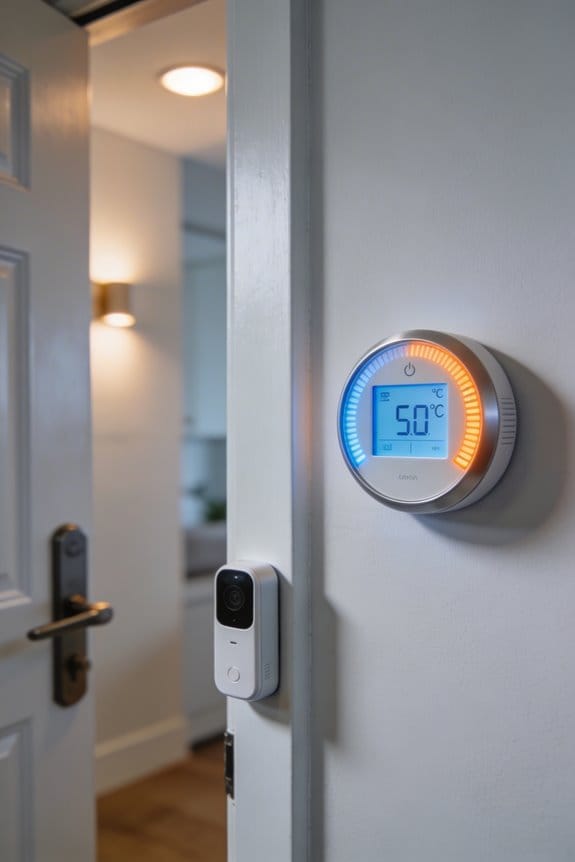

Door sensors detect openings and communicate with your smart thermostat to prevent temperature fluctuations from drafts. When a door opens, the system recognizes the action within 2-5 seconds, prompting the HVAC to adjust heating or cooling intensity, minimizing energy waste from brief air escape. Combined with geofencing that confirms occupancy, door sensors eliminate false triggers while your thermostat learns your temperature preferences, achieving 10-23% annual energy savings through precise climate adjustments that maintain comfort without manual intervention. Understanding how these sensors work together reveals optimization strategies.
Key Takeaways
- Door sensors detect openings to prevent premature HVAC adjustments, stabilizing temperatures during brief drafts and reducing unnecessary system cycles.
- Dual detection using door sensors and geofencing confirms actual occupancy, preventing false temperature adjustments from neighbors or external activity.
- Smart thermostats learn user routines and temperature preferences, automatically adjusting heating/cooling based on door activity patterns and occupancy detection.
- Smart Recovery feature uses door sensors to time preheating or cooling precisely before user arrival, adapting to unexpected early entries.
- Door activity sensors differentiate temporary drafts from significant temperature changes, minimizing HVAC wear while conserving energy from short fluctuations.
The Comfort Problem: Why Door Sensors Matter for Smart Thermostats
The Comfort Problem: Why Door Sensors Matter for Smart Thermostats
You’ve probably noticed your house feels off sometimes—too hot in one room, too cold in another. You’ve got a smart thermostat, maybe even geofencing set up on your phone, so why isn’t it working better? Honestly, it’s because occupancy sensors and geofencing alone are only telling half the story.
Here’s what’s actually happening: Your geofencing knows you left for work. Your motion sensors know nobody’s moving around the living room. But neither one catches what happens the moment you open a door—and that’s the real problem. When a door opens, warm or cool air escapes, your HVAC system kicks into overdrive, and your home’s temperature starts drifting. Your thermostat’s sitting there blind to the whole thing.
Door sensors fix this. They register the exact moment a door opens or closes, which means your smart thermostat can actually anticipate what’s coming instead of just reacting after it’s too late. So why does this matter? Because it’s the difference between constant heating and cooling cycles (which wastes energy) and smooth, predictable comfort.
Think of it as layered detection:
- Occupancy sensing tells you if someone’s actually in a room
- Geofencing triggers away-mode when everyone leaves
- Door activity catches real-time environmental changes
Try this: Set up door sensors on your main entries and high-traffic rooms. Pair them with your existing setup, and you’ll notice your home stays more comfortable without the thermostat constantly running.
The best part is you’re not just adding sensors for the sake of it—you’re cutting down on wasted heating and cooling cycles while keeping your home feeling right. No more temperature swings. No more that weird moment when your AC kicks on just as you’re getting comfortable.
How Occupancy Sensors Know When You’re Home

How Occupancy Sensors Know When You’re Home
Ever wondered how your smart thermostat figures out whether you’re actually sitting in the living room or if you’ve already left for work? That’s where occupancy sensors come in.
Your thermostat uses infrared technology to pick up heat signatures from movement. When you walk through a room, the sensor detects that warmth and registers that someone’s home. It’s pretty straightforward stuff—basically, the system’s looking for body heat, not guessing based on your phone location or WiFi connection.
The real magic happens when these sensors start tracking patterns. They monitor how often you’re moving around and for how long, then use that info to flip your thermostat between home and away modes automatically. So if you’re usually active between 7 a.m. and 9 a.m., the system learns that. No more manual adjustments every single day.
Why accuracy matters:
- Most sensors work reliably within 20-30 feet
- Response time is typically 2-5 seconds (fast enough that you won’t notice lag)
- The algorithms can actually tell the difference between your dog running around and you walking past, which cuts down on those annoying false alarms
Honestly, the biggest advantage I’ve seen with multi-sensor setups is coverage. If you strategically place sensors throughout your home, you eliminate those dead zones where your thermostat can’t “see” activity. Bedrooms, hallways, the kitchen—they all get monitored without gaps.
The best part is how wireless remote sensors let you customize comfort room by room. High-traffic areas get priority heating or cooling, while less-used spaces dial back automatically. You’re not paying to heat that spare bedroom nobody uses.
Combining Door Sensors and Geofencing for Smarter Automation
Combining Door Sensors and Geofencing for Smarter Automation
Ever come home to a freezing house because your thermostat didn’t know you were on your way back? Or blast the AC all day while you’re already at work? Yeah, that’s frustrating—and wasteful.
The problem with relying on occupancy sensors alone is pretty obvious: they’re great at detecting movement inside your home, but they can’t tell the difference between you walking around your living room and someone actually approaching the front door. That’s where door sensors and geofencing come in. When you use them together, you get a two-part system that actually knows what’s happening.
Here’s how it works in real life:
Door sensors catch the action first. The moment someone opens your front door, the sensor triggers an immediate response. Geofencing runs in the background at the same time, checking your phone’s location. So when you arrive home, the door sensor registers your entry, and geofencing confirms you’re actually at your house—not just driving past. Your thermostat kicks into comfort mode automatically.
When you leave, geofencing takes the lead. Once your phone hits that distance threshold you set—say, a quarter-mile from home—the system shifts your thermostat to away mode within minutes. Why does this matter? Because it stops false triggers. If your neighbor opens their door or a package gets delivered while you’re genuinely gone, the system won’t accidentally warm up your house thinking you’re home.
The best part is the energy savings. You’re not heating or cooling an empty house, and your system isn’t scrambling to adjust temperatures once you actually show up. Everything happens on schedule.
Frankly, this combination feels like the system understands your routine better than you do. Set it once, and it handles the rest.
Recommended Products

42U SERVER RACK CABINET – Professional network rack enclosure designed for servers, switches, patch panels, UPS systems and telecom equipment used in IT rooms, network closets and infrastructure installations.

SECURE ENCLOSED DESIGN: Lockable glass front door and side panels protect servers, switches and networking equipment in office and commercial environments.
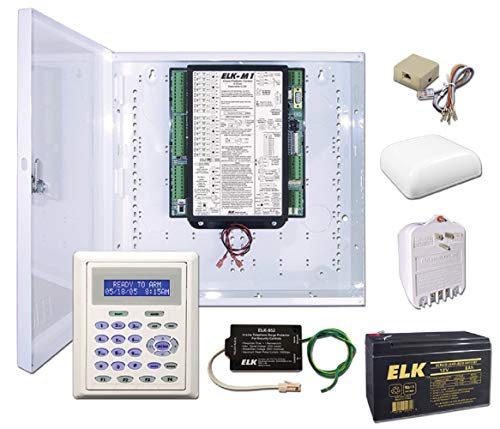
Comprehensive security, energy management, and control solution for residential and light commercial applications.
Smart Recovery: Preheating Before Your Door Opens

Smart Recovery: Preheating Before Your Door Opens
You know that feeling when you walk into your house and it’s either freezing or hot as an oven? Your smart thermostat‘s Smart Recovery feature basically solves that problem by getting your home to the right temperature before you even step inside.
Here’s how it actually works: your thermostat uses geofencing (that’s just fancy talk for tracking your phone’s location) plus door sensors to figure out when you’re about to arrive home. It then calculates exactly when to kick on the heating or cooling so that by the time you walk through the door, everything’s already at your preferred comfort level. No more waiting around for the AC to kick in or shivering while the heat ramps up.
The system gets smarter the more you use it. It learns your temperature preferences from past behavior, takes into account what’s happening outside, and studies your typical commute patterns. All of that data feeds into when the thermostat decides to start its work. Think of it like having a roommate who actually pays attention to what you like.
What if you leave work early? The door sensors catch that—when you open the door sooner than expected, the system adjusts on the fly. It won’t waste energy preheating for a time you’re not going to hit.
Honestly, the best part comes over time. The system refines itself based on seasonal changes and shifts in your routine. Winter heating needs are different from summer cooling, and your smart thermostat adapts. You’re not burning energy keeping an empty house comfortable when nobody’s home, and you’re not arriving to an uncomfortable space either.
Why More Sensors Improve Comfort?

Ever notice how one room in your house feels like a sauna while another is freezing? That’s the problem with relying on just your thermostat‘s basic sensors. Adding more sensors throughout your home actually fixes this.
Here’s what I mean: Your geofencing and door sensors give you a decent starting point, but they’re only telling part of the story. When you add sensors in your bedroom, living room, and basement, you discover temperature swings that a single thermostat completely misses. You’ll spot those annoying hot and cold spots that make half your house uncomfortable while the other half feels perfect.
Wireless remote sensors do something simple but powerful—they detect when you’re actually in a room. So your system can focus heating and cooling where you’re spending time instead of wasting energy on empty spaces. Why heat that guest bedroom if nobody’s in there?
The real benefit kicks in when your thermostat starts connecting the dots. It gathers data from all these sensors and learns your patterns automatically. You don’t have to manually adjust anything. The system figures out your preferences and keeps temperatures consistent across your whole home by routing air where it’s needed most.
Humidity sensors add another layer of help too. They prevent that sticky, uncomfortable feeling while making sure your air doesn’t get too dry. Frankly, this keeps you comfortable without thinking about it.
The best part is this isn’t complicated to set up. Your thermostat handles all the heavy lifting behind the scenes. Once everything’s connected, you just enjoy a home that actually feels good in every room. Ready to stop fighting with temperature control?
Recommended Products

LF-PV Series Pure Sine Wave Inverter is a combination of an inverter, AC charger and Auto-transfer switch into one complete system.It is packed with unique features and it is one of the most advanced inverter/chargers in the market today

The L-3 Slide Gate Operator features the V-Flex control board with on-board diagnostics LCD display and a removable power supply box for low voltage wiring. The new chassis design provides easy viewing of the controls and integrated post-mount provisions allowing it to be raised from the ground if needed. Featuring a built in heater to perform in cold weather, an increased gate capacity of up to 1600 lbs. and Viking’s true battery backup system. The L-3 includes simple push-button digital limits setup, lockable cover and convenient access to the switch for manual release making this operator an excellent choice for both your residential and commercial properties.

Unique water drop design. Direct contact between stones and heating elements. More exposed stones create a longer and milder heat.
Preventing Temperature Swings From Door Activity
Preventing Temperature Swings From Door Activity
You know that annoying moment when someone opens the front door and your thermostat goes haywire? Your heating or cooling system kicks into overdrive to chase that temperature change, even though the door’s only open for a few seconds. That’s where door sensors actually save the day—and your energy bill.
Door activity sensors are pretty straightforward. They detect when doors open and tell your thermostat to chill out (literally). Instead of your system firing up a full heating or cooling cycle every time there’s a draft, the sensor pauses the adjustments during that brief moment. Your temperature stays stable, and your HVAC doesn’t waste energy fighting a temporary fluctuation.
Here’s the trick: smart thermostats with door sensors also use occupancy detection to tell the difference between a quick gust and a real temperature problem. So when your kid runs in from outside on a hot day, the system doesn’t think you need a blast of AC right then. It waits to see if the temperature actually changes in a meaningful way.
The result? A few solid benefits:
- Your home stays at the temperature you set, even with people coming and going
- Your HVAC runs fewer unnecessary cycles (which means less wear and tear)
- Energy waste from short temperature swings basically disappears
Frankly, if you’ve got a busy household with lots of door traffic, this is the kind of thing that quietly makes life easier. You’re not thinking about it, your system isn’t overworking, and your comfort stays consistent.
Recommended Products

Smart Grilling Control: WiFIRE technology lets you monitor and control the smoker from anywhere using the Traeger app. Adjust temperature, set timers, and check probe readings, perfect for convenient, stress-free outdoor BBQ sessions.

PROFESSIONAL IT & TELECOM RACK CABINET – enclosed 19-inch rack enclosure designed for servers, switches, patch panels, UPS systems, structured cabling and telecom infrastructure in server rooms, network closets and commercial IT environments.

ACTIVE COOLING SYSTEM WITH TEMPERATURE CONTROL – Preinstalled Air Controller and four roof-mounted fans maintain stable airflow, prevent equipment overheating, and support continuous 24/7 operation.
Setting Up Door Sensors for Your Thermostat
Setting Up Door Sensors for Your Thermostat
Think about the last time your heating or cooling bill seemed way higher than it should be. Chances are, air was leaking around doors you didn’t even realize were letting the outside in. Door sensors can actually help fix that problem by telling your thermostat when doors open and close, so it stops wasting energy. But first, you need to get them installed the right way.
Before you buy anything, check what your thermostat actually supports. Most systems use either Sub-GHz radio frequencies at 915 MHz or the standard 2.4 GHz Wi-Fi. It sounds technical, but honestly, just look at your thermostat’s manual or the manufacturer’s website—they’ll tell you what works. You don’t want to buy sensors that won’t pair with your system.
Where to put them matters more than you’d think. Mount those magnetic contact sensors on door frames where you notice drafts coming in. The sensor piece goes on the fixed frame, and the magnet goes on the door itself. Keep the gap between them under half an inch—any wider and they won’t detect properly. So, why does this matter? If they’re too far apart, they’ll miss door openings and your thermostat won’t know what’s actually happening.
The pairing process is pretty straightforward. Go into your thermostat’s wireless settings menu and follow the prompts. Each sensor takes about 30 to 60 seconds to connect. The best part is that most manufacturers built apps that walk you through it step by step—no need to call a technician or pay someone to do this for you.
Once everything’s connected and working, you’ll start noticing the difference. Your system will respond to what’s actually happening in your home instead of just guessing.
Recommended Products

Real-time notifications whenever a door or window is opened or closed through the ecobee app. No Smart Security Subscription required to use this feature.
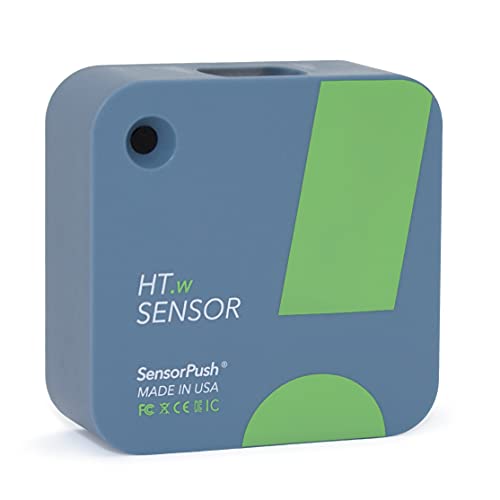
NO INSTALLATION FRUSTRATION: While other temperature sensors require complicated, glitchy setup, SensorPush skips the headache with a setup process that takes seconds. Whether you need an outdoor thermometer, a room thermometer, a fridge thermometer, a freezer alarm on your phone or a humidity and temperature monitor anywhere else, SensorPush makes it easy!

Expected Energy Savings From Smart Adjustments
Expected Energy Savings From Smart Adjustments
Want to know the easiest way to cut your heating and cooling bills without freezing in winter or sweating in summer? A smart thermostat that actually pays attention to when you’re home makes a real difference.
Your thermostat now has sensors that track door openings and whether anyone’s actually in the house. Instead of cooling an empty living room or heating bedrooms nobody’s using, the system automatically backs off the temperature when you’re away. When you pull back into the driveway, it starts adjusting before you even walk through the door. Pretty straightforward stuff, but it adds up fast.
The numbers are solid. Homeowners typically see 10-23% drops in annual energy costs just by letting their thermostat follow their actual schedule. Geofencing helps too—your phone’s location tells the system when you’re heading home, so it’s comfortable when you arrive instead of wasting energy all afternoon.
Here’s the trick: the system learns what temperatures you actually prefer at different times. That Smart Recovery feature doesn’t just react to your habits—it gets ahead of them. Frankly, that’s where you start really noticing savings on your utility bill.
The mechanical side matters just as much:
- Two-stage heating and cooling runs shorter bursts instead of constant full-blast operation
- Fan optimization after each cycle squeezes out every bit of heat before shutting down
- Vacation mode keeps things from running wild when you’re gone for a week or two
So why does this matter? Because comfort and savings don’t have to fight each other. You get a home that’s pleasant to live in while your HVAC system runs only when it actually needs to. The adjustments happen automatically in the background—nothing complicated on your end.
The bottom line: precision climate control that matches real life, not some generic schedule. Ready to see what your specific setup could save?
Recommended Products
1. Advanced Energy-Saving Technology This commercial refrigerator is engineered for maximum efficiency, featuring a high-precision digital thermostat and a powerful Cubigel compressor, significantly reduces energy consumption while ensuring precise temperature control. The optimized cooling system operates quietly while extending the appliance’s lifespan, making it ideal choice for reducing operating costs

1. Advanced Energy-Saving Technology This commercial freezer is engineered for maximum efficiency, featuring a high-precision digital thermostat and a powerful Cubigel compressor, significantly reduces energy consumption while ensuring precise temperature control. The optimized cooling system operates quietly while extending the appliance’s lifespan, making it ideal choice for reducing operating costs

Modern French Door Style: French Door fridge with bottom freezer refrigerator adds style and modern elegance to any kitchen décor. Offers full access to contents and is perfect for any home kitchen
Frequently Asked Questions
Do Door Sensors Work With Older HVAC Systems, or Do I Need New Equipment?
Door sensors are like puzzle pieces—they’ll fit your older HVAC system if compatibility factors align. I’d recommend checking your system’s specifications before investing in upgrades. Most traditional setups don’t require complete HVAC replacements, just a compatible smart thermostat hub.
How Long Does It Take for Learning Algorithms to Establish My Personalized Temperature Schedule?
I’ll typically establish your personalized schedules within one to two weeks of normal use. My learning process monitors your temperature adjustments and daily routines, adapting automatically as I detect your preferences and occupancy patterns.
Can Door Sensors Distinguish Between Opening Doors and Actual Occupancy Changes in Homes?
I’ve found door sensors work like a bouncer checking IDs—they detect door activity but can’t confirm who’s actually inside. I’d recommend pairing them with occupancy detection through movement sensors for accurate occupancy changes.
What Happens to Door Sensor Automation if My Wi-Fi Connection Drops Temporarily?
When your Wi-Fi drops temporarily, I’ll keep operating on local automation through Bluetooth and Sub-GHz radio connectivity. Your door sensor automation continues functioning independently—it’s not reliant on constant internet for basic scheduling adjustments during these temporary disruptions.
Are Wireless Door Sensors Compatible With All Smart Thermostat Brands on the Market?
I’ll be straight with you—wireless door sensors aren’t a one-size-fits-all solution. You’ve got sensor compatibility issues due to brand differences across the market. I’d recommend checking your thermostat’s specifications before purchasing sensors to guarantee they’ll actually work together.