
Matter’s IPv6-based TCP, MRP/UDP, and Bluetooth protocols establish a common language that eliminates ecosystem isolation created by older Z-Wave and Zigbee locks. You’ll need a controller—Apple Home Hub, Google Home device, or Amazon Echo—plus an IPv6-supporting router and updated smartphone OS. Thread-based Matter locks offer superior battery life and mesh networking reliability compared to Wi-Fi alternatives, reducing frequent replacements. Many existing locks require only firmware updates for compatibility; don’t fret about immediate hardware replacements. Understanding your specific requirements and timeline reveals whether upgrading now or waiting serves your situation better.
Key Takeaways
- Matter provides a common language enabling smart locks to communicate across different ecosystems without proprietary hubs or isolation.
- Thread mesh networks offer superior reliability and battery life for Matter-certified locks compared to traditional Wi-Fi connections.
- Older smart locks can gain Matter compatibility through firmware updates or Matter Bridges, eliminating costly hardware replacements.
- Matter-certified controllers like Apple Home Hub, Google Home, or Amazon Echo are required to operate Matter locks.
- Cross-brand compatibility for Matter devices became available in 2023, with universal smart lock integration continuing through 2026.
Why Smart Locks Still Don’t Work Together
Why Smart Locks Still Don’t Work Together
You buy a fancy new smart lock, set it up, and then realize it won’t talk to your other smart home gadgets. Frustrating, right? That’s the reality for millions of people trying to build a connected home, even with Matter supposedly fixing all these problems.
Here’s what’s actually happening: manufacturers like Yale, Schlage, and Level Lock built their locks using older technology—stuff like Z-Wave and Zigbee—that works differently than Matter’s newer system. Think of it like trying to get old plumbing to work with new electrical codes. It’s not impossible, but it requires more than just flipping a switch. These older protocols operate at a different level of the network stack than Matter does, so they can’t simply swap over to IPv6-based communication without a major overhaul.
So, why does this matter? Because your smart lock is essentially stuck in its own little ecosystem. Your new lock might work great with its own app and your phone, but connecting it to your security system, doorbell camera, or automation routines? That’s where things fall apart.
The real cost problem:
Manufacturers face genuine hurdles implementing the encryption and security protocols that Matter requires. Retrofitting old hardware isn’t cheap. You’re talking about redesigning circuit boards, updating firmware on devices that were never built with this flexibility in mind. For companies that sold millions of locks years ago, asking them to rebuild everything for Matter compatibility isn’t a simple business decision.
Good news exists, though. Firmware updates can add Matter support to some newer locks without you buying anything new. Matter Bridges—essentially small adapter devices—can also help older locks talk to your Matter network. They’re not perfect solutions, but they work.
The honest take? Universal compatibility across all smart locks still isn’t here. But if you’re shopping for new locks today, prioritize Matter compatibility. For locks you already own, check if your manufacturer offers updates or bridge options. It won’t solve everything overnight, but it beats being locked out of progress.
What’s holding you back from upgrading—cost, or just waiting for better compatibility?
How Matter Breaks the Incompatibility Problem
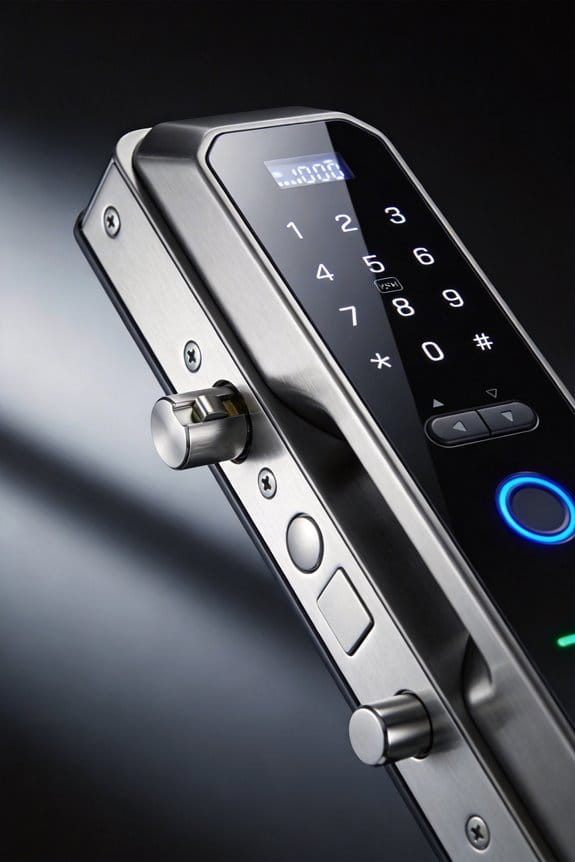
Tired of your smart home devices refusing to talk to each other? You buy a light that works with Apple, then grab a sensor for Google Home, and suddenly you’re managing three different apps just to control one room. Matter fixes this frustration by creating a common language that all your devices can actually speak.
Here’s what’s actually happening under the hood: Matter works across the upper layers of internet communication (layers 5-7) using IPv6-based TCP, MRP/UDP, and Bluetooth for the initial setup. Instead of forcing you to rip out your current gear, it builds a bridge between what you already own and newer devices. You keep your existing hardware; Matter just makes it compatible.
The technical structure breaks down into three key parts:
- An interaction model layer that handles how devices send and receive data (basically client-server conversations)
- A security layer that encrypts your frames and authenticates messages so no one’s snooping
- A message framing layer that adds routing information to keep data going to the right place
So, why does this matter? Because after devices discover each other, the CASE protocol kicks in and sets up AES-encrypted communication. That means your Apple Home, Google Home, and Alexa devices can finally coexist peacefully on the same local network without needing some proprietary hub sitting in your closet.
Honestly, the best part is you don’t have to choose sides anymore. Matter doesn’t eliminate your manufacturer’s original protocols—it works alongside them. IP-based controllers on your home network translate between the old way devices talked and the new way. Your devices communicate seamlessly, and you’re not locked into one ecosystem.
Think about what this means for you: fewer apps, simpler automation, and the freedom to buy based on features instead of brand loyalty. Isn’t that how it should’ve worked from the start?
Recommended Products
OUTDOOR-READY & WEATHERPROOF DESIGN: Built for patios, decks, and backyard entertainment, this IP65 weatherproof outdoor TV is engineered to withstand rain, dust, humidity, and temperature changes. Advanced protective nanocoating helps safeguard internal components, making it ideal for partial-sun outdoor environments year-round.
THE SPEED OF EERO MAX 7 - With two 10 Gigabit Ethernet ports, you can enjoy wired speeds up to 9.4 Gbps, wireless speeds up to 4.3 Gbps, and multi-gigabit backhaul speeds—making your network seriously fast.

Two options to Control fan: Included WIDC-CCT Handheld Control or Wi-Fi enabled Smart by Bond to use with most smart phones and devices
What You Actually Need to Use Matter Locks
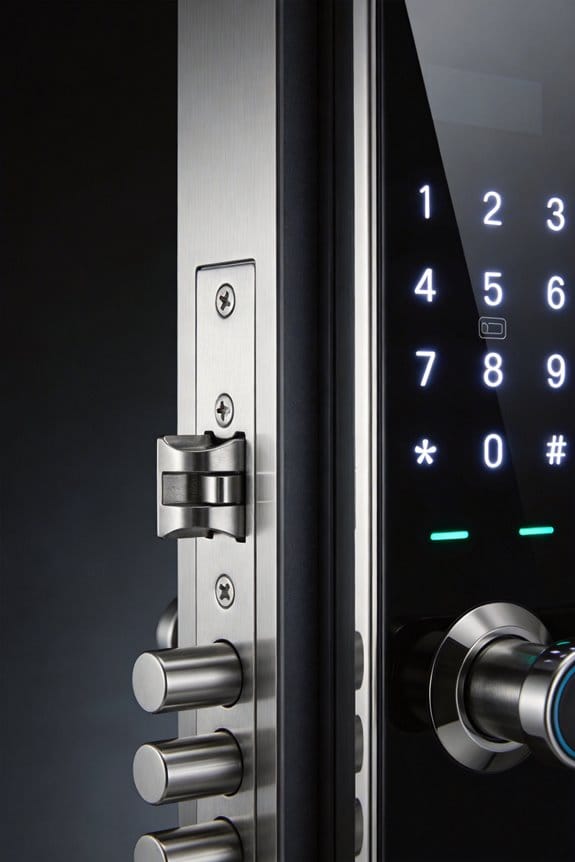
So you’ve got a Matter-compatible smart lock sitting in your cart, but you’re wondering what else you actually need to make it work. The truth is, it’s not as complicated as it sounds—but you do need a few key pieces in place.
First, you’ll need a controller to manage everything. That means picking up an Apple Home Hub, Google Home device, or Amazon Echo. Think of it as the brain of your setup—it talks to your lock and lets you control it from anywhere. Without one, you’re stuck using your phone when you’re home, which defeats the whole purpose.
Your home network is the next piece of the puzzle. Do you have Wi-Fi already? Great, that’ll work. Prefer something more reliable? Ethernet or Thread networks are solid options too. If you go the Thread route, you’ll need a Thread Border Router to bridge the connection. Honestly, most people stick with Wi-Fi and call it a day.
Here’s the trick: you don’t need to rip out your old smart locks. Many older models just need a firmware update to become Matter-compatible. Some even work through a dedicated Matter Bridge without any updates at all. Check your lock manufacturer’s website first—it might be a free fix.
Before you buy, verify that your specific lock has actual Matter certification. This saves you from the frustration of bringing home a device that’s “Matter-ready” but not actually certified yet. Your router should support IPv6, and your phone needs to be running a current operating system version so you can set everything up properly.
The best part is once it’s installed, you’re done. Your lock works across all your platforms without the usual compatibility headaches.
Recommended Products

INVISIBLE BY DESIGN: Advanced smart lock technology is fully hidden inside your door. Level Lock Pro is 62% smaller than other smart locks with no bulky interior or exterior hardware.

Advanced Biometric Unlock: Lockin Veno smart lock features palm vein and fingerprint recognition for fast, contactless access; 0.17s instant unlock with 99% accuracy, even with wet or worn hands

TURN YOUR EXISTING LOCK INTO A SMART LOCK: Level Bolt replaces the deadbolt in your door to turn your lock into a smart lock without changing keys, hardware, or the look of your door.
Thread vs. Wi-Fi: Which Network Works Best for Your Lock?
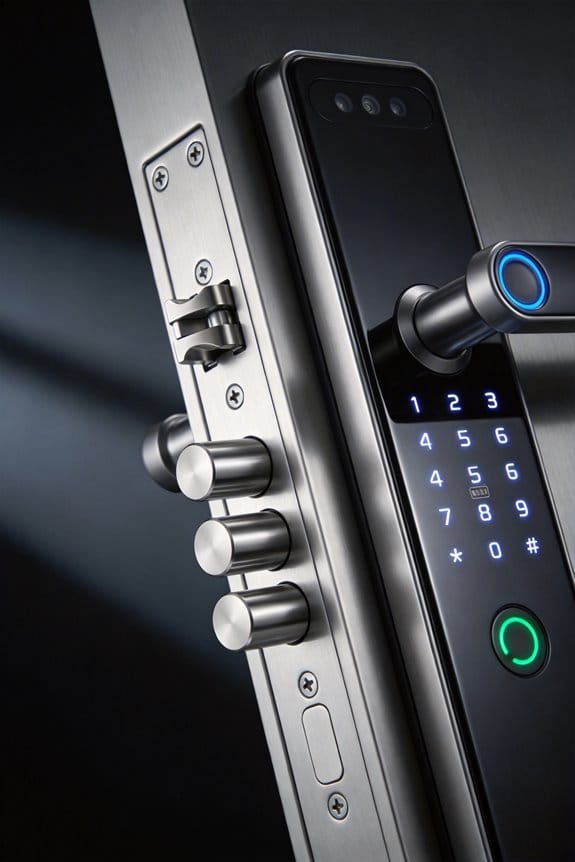
So you’re standing in the smart lock aisle (or scrolling online), and you’re wondering: Wi-Fi or Thread? It’s more important than you might think, because the wrong choice could leave you frustrated with dropped connections or a dead battery every other month.
The Real Difference Between These Two
Wi-Fi locks tap into your existing home network—the same one your phone and laptop use. Thread, on the other hand, operates on its own dedicated 802.15.4 mesh network that runs at 2.4 GHz right alongside Wi-Fi. Here’s the thing that matters: they work differently, and that changes how your lock behaves.
Why Thread Actually Wins (Most of the Time)
Thread is more reliable. Frankly, if you’ve ever had your Wi-Fi router hiccup and suddenly your smart lock stops responding, you’ll appreciate this. With Thread’s mesh setup, your lock devices talk to each other and relay signals through multiple paths. If one connection fails, the signal finds another route. You don’t get that redundancy with Wi-Fi.
Battery-powered locks drain faster on Wi-Fi too. Thread sips power in comparison, which matters if you hate changing batteries twice a year. It also doesn’t clog up your main network—your router stays focused on your actual internet usage instead of constantly juggling lock communication.
The Compatibility Question****
Thread locks have exploded in availability lately, especially Matter-certified models. These connect through Thread Border Routers that keep everything talking smoothly. Setup is genuinely minimal if you already own a Thread-capable hub. So, why does this matter? Because it means Thread isn’t some fringe technology anymore—it’s becoming standard.
Wi-Fi Still Has a Place
Wi-Fi locks work everywhere out of the box. No extra hubs needed. If you’ve got a solid router in a central location and your battery lock gets regular attention, Wi-Fi can absolutely work fine. Just know you’re accepting trade-offs.
The Bottom Line
If you want fewer headaches and a lock that just works without draining batteries or overwhelming your network, Thread is the smarter pick. Which setup sounds like it fits your home better?
Recommended Products

Upgradeable Memory + 128GB SSD: 8GB dual-channel RAM, expandable up to 32GB, paired with a 128GB NVMe SSD for fast storage and smooth multitasking—perfect for traditional laptop computers

True Hands-Free Unlocking with UWB Technology: Experience a new era of smart access — UWB (Ultra-Wideband) detects your incoming presence, direction, and intent to unlock automatically as you approach. It provides a faster, more convenient, and highly secure way to enter your home without touching the lock. Perfect when your hands are full, you're wearing gloves, or arriving in the rain. (Note: UWB unlocking requires a Thread-enabled Apple Home hub and is supported on Apple Watch Series 6 or later (excluding SE) running watchOS 11.5+ and iPhone 11 or later (excluding iPhone SE & iPhone 16e) running iOS 18.5+.)

Apple Home Support: Unlock your door with the Apple Home app using your iPhone or Apple Watch. Share access with family and guests. Add a HomePod or Apple TV as a home hub to enable automations and control and share your lock remotely.
Setting Up a Matter Lock (Without the Headache)
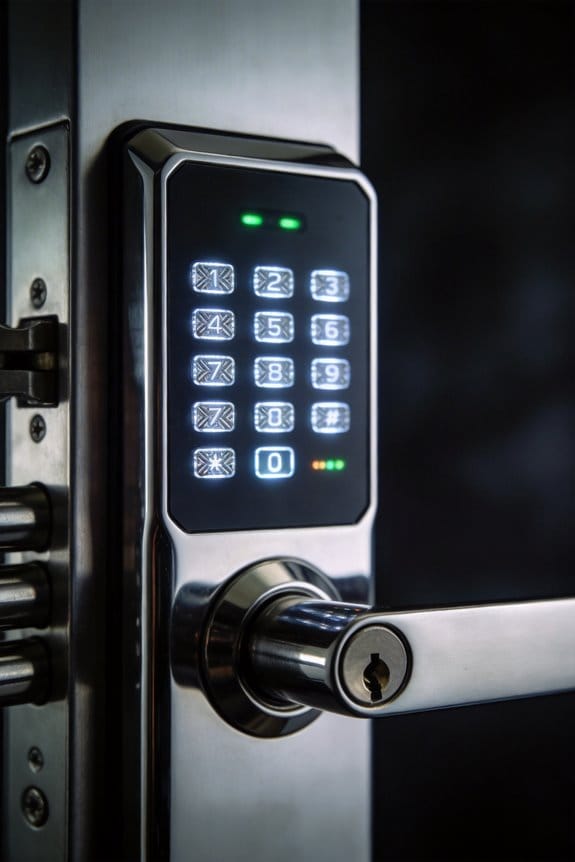
Honestly, the setup part is where most people expect things to fall apart—but it won’t. Your phone’s app does the heavy lifting by scanning the QR code on your lock, or you can punch in a 16-digit code if you prefer doing it manually. Either way, you’re looking at a pretty straightforward process that takes maybe five minutes, tops.
Once you’re in, the lock uses something called CASE protocol to create a secure connection within your home network. Think of it as a private conversation between your lock and your other smart devices—they talk in encrypted language so everything stays safe. Your Wi-Fi or Thread connection handles the actual communication, and the good news is you don’t have to manually configure anything. The device finds your network on its own.
Why does this matter? Because the old way meant dealing with separate apps for every brand and a confusing hub sitting in your closet. With Matter, everything speaks the same language regardless of who made it.
Here’s what actually happens in the first few minutes:
Your lock powers on, finds your Wi-Fi or Thread network automatically, and sends a signal that it’s ready to pair. Your phone picks this up instantly. You scan or enter the code. Done. No restarting routers, no support calls, no guessing whether your lock is compatible with your other devices.
The best part is that newer locks include NFC onboarding too, which means you can even tap your phone to the lock instead of hunting for codes. Frankly, if you’ve set up any smart home device in the last few years, this’ll feel familiar and easier than what you’re probably picturing.
Does setup still stress you out, or are you feeling ready to give it a shot?
Recommended Products

COMPLETE HOME STARTER BUNDLE - Breathe cleaner air in every room with the iAdaptAir Home Air Purifier Starter Bundle. Includes 1 Small, 1 Medium, and 1 Large purifier, delivering powerful, multi-room air purification for living rooms, kitchens, bedrooms, and other shared spaces in your home. Perfect for families, allergy sufferers, and anyone looking to improve indoor air quality.

Seamless Integration: OverHaul HD Towers and Tonneau kit delivers a seamlessly integrated rack system, ensuring a great fit for Retrax XR series, Pace-Edwards (except 2004+ Ford F-150), and Ford Embark LS tonneau covers.

INDUSTRY-LEADING CLEANING POWER - iAdaptAir has one of the highest clean air delivery rates (CADR) on the market: Pro size boasts 706 CFM. Covers 5,474 sq. ft. in one hour or 1,059 sq. ft. with 5 air exchanges per hour.
Should You Buy Now? What the Timeline Actually Means
When you’re standing in front of a smart lock display, wondering if now’s the right time to buy, you’re probably thinking: “Will this thing still work in a year?” That’s a fair question, and it deserves a straight answer.
Right now, you’ve got two paths. Zigbee and Z-Wave locks are solid performers—they work reliably today. The catch? They need their own proprietary hub to function, which ties you into one ecosystem. If you’re okay with that limitation, they’re battle-tested and affordable.
Matter devices that hit the market from 2023 onward changed the equation. They work across different brands and platforms without forcing you into ecosystem lock-in. Sounds great, right? But here’s the real-world part: your existing hub might need firmware updates that won’t roll out until late 2026 for full compatibility. That’s a wait, but it’s worth knowing upfront.
Version 1.4.2 came out August 11, 2026, and it tightened up security standards and Thread certification. So newly certified locks are more dependable than the earlier models that rushed to market. Why does this matter? Frankly, it means the longer you wait, the better the hardware gets.
The trickier considerations are:
- Sensor-based locks may require a Thread Border Router, which is an extra piece of equipment
- Certified hardware sometimes costs more than older alternatives
- Your current setup doesn’t become obsolete overnight
Here’s the encouraging part: your existing locks and hubs can still gain Matter compatibility through bridges. Your investment today isn’t a dead end. You can take your time evaluating when an upgrade actually makes sense for your home.
Recommended Products

Enhanced Dual-Camera Clarity at Up to 40 ft (12 m): Capture every event around your home in ultra-clear 3K resolution. Enjoy sharp, detailed visuals with 8× zoom to see what matters most.

Two options included to control fan: Included WIDC handheld and wall control or Smart by Bond WIFI enabled to use with most smart phone and devices.
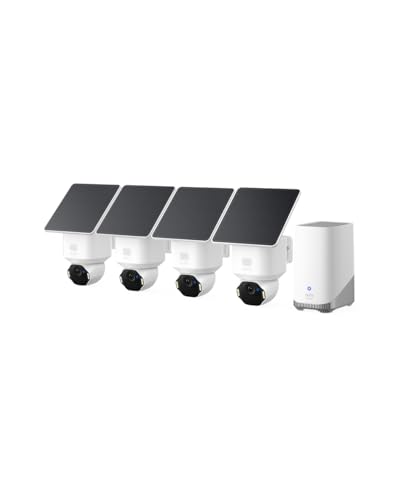
Ultra HD 4K Clarity: Features true 4K UHD resolution to capture every detail around your home. It can even recognize license plates up to 33 ft (10m) away.
Frequently Asked Questions
Can Matter Locks Work Offline Without Internet Connection or Cloud Services?
I’m thrilled to confirm that Matter locks are virtually unstoppable offline—they’re genuinely designed for local-first control without internet dependency. You’ll experience seamless offline functionality and robust smart lock security through IPv6-based communication on your home network alone.
How Many Matter Devices Can One Controller Manage Simultaneously on Local Network?
I don’t find specific device limits in the documentation, but Matter controllers can manage numerous devices on your local network. The protocol supports up to 150 addresses on certified infrastructure, though actual controller management capacity depends on your specific controller’s hardware capabilities.
Are Older Smart Locks Compatible With Matter Through Firmware Updates or Bridges?
I can tell you that many older smart locks aren’t natively compatible, but you’ve got options. Firmware Compatibility updates work for some devices, while Matter Bridges enable Smart Lock Evolution by connecting legacy locks to Matter ecosystems without replacing them entirely.
What Happens if My Matter Fabric Loses Connection Between Devices Temporarily?
Have you ever wondered what happens when your smart home briefly goes silent? When your Matter fabric temporarily disconnects, devices enter a standby state. They’ll automatically rejoin through the device reconnection process once connectivity’s restored—no manual intervention needed, I promise.
Do Matter Locks Require Thread Border Router or Work Solely on Wi-Fi?
I’ll tell you: Matter locks work fine solely on Wi-Fi compatibility without thread border routers. However, if you’re using Thread devices like sensors, you’ll need a Thread Border Router for ideal fabric connectivity and reliability.